Hey everyone, if you’ve spent any time scrolling gaming TikTok, Reddit’s r/PS5, or even just geeking out on Twitch clips, you’ve probably seen the chaos around the PS5. Half the internet’s complaining about its oversized box sticking out of their entertainment centers, the other half is building custom rigs just to fit the damn thing. And as a gaming desk supplier (yes, that’s us—we make desks for people who actually game, not just browse Facebook from a plastic table), we get asked this question all the time: “Can I put a PS5 on a gaming desk?” Gaming Desk
First, let’s cut the crap. It’s not a yes or no answer. It’s a “here’s how to do it right, so your $500 console doesn’t overheat, warp, or take a nosedive when you lean back mid-Marathon” situation. Let’s break this down like we’re explaining it to a buddy who just unboxed his PS5 and is still geeking out over the DualSense.
First up: size. The PS5 is big. Like, really big. Its dimensions are roughly 15.4 x 4.1 x 10.2 inches, right? A lot of cheap gaming desks out there have tiny, flimsy top surfaces, especially the ones with that weird curved edge that makes the middle sag. If you toss a PS5 on a desk that’s only 20 inches wide total, half the console hangs over the edge. Don’t do that. We’ve had customers hit us up last month saying their PS5 fell off a $80 Amazon desk because the surface was too narrow. Bro, that’s on the desk, not the PS5. Our gaming desks have a minimum top width of 24 inches, but even then, we recommend 28 inches or more for the PS5—way more room to move, no overhang, and you can fit your controller, a headset, and that random energy drink you chug while grinding Elden Ring too.
Next, weight. The PS5 itself is around 9.2 lbs, which doesn’t sound like much, but here’s the thing: gaming desks aren’t just for putting a TV on. A lot of desks have that hollow middle, especially if they’re adjustable or have a pullout keyboard tray. If your PS5 is sitting right over a hollow spot, that area might flex over time. We’ve tested our desk’s weight capacity—our standard desks hold 150 lbs easy, and the heavy-duty ones hit 220 lbs, so a 9 lb PS5 is nothing. But the flex? That’s the sneaky part. If you’ve ever leaned back in your chair and felt the desk wiggle, that’s flex. Put a heavy console right on that wobbly spot, and over months, the desk surface might warp a tiny bit, or the console might shift. Trust us, we’ve seen it. Our desks have a solid, particleboard core with a steel frame, so there’s almost zero flex even when you’re slamming a controller down after losing a match. So that’s non-negotiable: a solid frame, no hollow middle, is key here.
Now, the big one people overthink: airflow. This is where most of the PS5’s problems come in. The PS5’s whole design is built for airflow—those big vents on the side and back aren’t just for show. If you block them, your console overheats, which makes the fan scream like a jet engine, and eventually, it can damage the internal components. So can you put it on a gaming desk? Only if you leave space around the vents. Let’s get specific: the PS5 needs at least 4 inches of clear space on all sides except maybe the bottom? Wait, no—wait, some people say the bottom is fine if it’s a solid surface, others say leave space there too. Let’s check the official Sony specs, yeah, they recommend 10 cm (around 4 inches) of clearance around all sides for airflow. So if your gaming desk has a shelf that’s sitting flush against the wall, and your PS5 is pressed right up against the back, that’s bad. No good. We design our desks with that in mind—our back panels have small cutouts, or we leave a 2-inch gap between the back edge of the desk and the wall, so even if your PS5 is pushed all the way back, there’s still space for air to flow out the rear vents.
Also, don’t put the PS5 on the edge of the desk where it’s near the AC unit or a window. Cold air blowing directly on it can cause condensation, which is the worst thing for electronics. We’ve had customers who set their PS5 right by a window, and one rainy weekend later, it wouldn’t turn on—condensation shorted the motherboard. Don’t be that guy. Our advice: keep your PS5 somewhere on the desk where it’s away from direct air vents, windows, and heat sources like space heaters or even your PC tower, because that’s extra heat the PS5 doesn’t need.
Another thing: vertical vs. horizontal. Wait, can you put a PS5 horizontal on a gaming desk? Yeah, that’s totally fine. Sony actually says you can set it either way, right? But here’s the catch: if you set it horizontal, you still need that clearance. If you set it vertical, make sure the stand is secure. A lot of cheap PS5 stands are flimsy, but if your desk has a flat, stable surface, that works. We’ve had customers who use our desks to set the PS5 vertical, and it’s been solid for months. Just make sure the stand clicks into place correctly—don’t skip that part, because a tipping PS5 is a broken PS5.
Wait, what about desk types? Like, standing desks? Can you put a PS5 on a standing desk? 100% yes, but again, weight and flex. Our standing desks have a steel base, so even when they’re adjusted up or down, there’s zero flex. We test our standing desks with 220 lbs at the highest height, so a 9 lb PS5 is nothing. Just make sure when you adjust the desk, the PS5 isn’t hanging over the edge, and the airflow is still clear. If you’re using a cheap standing desk with a flimsy frame, maybe double-check, but our units are built for that.
Now, let’s talk about common mistakes we see people make. First, putting the PS5 on a closed shelf or drawer. If your gaming desk has a pullout shelf for the PS5, make sure it’s got vents, and there’s no way to close it all the way—leave a gap for airflow. Second, stacking stuff on top of the PS5. I’ve seen people put a stack of games, a headset, even a monitor stand on top of their PS5. Dude, that adds weight, blocks the top vents, and that’s a quick way to overheat. Don’t do that. If you need extra storage, use the desk’s side shelves, not the top of the console. Third, measuring wrong. A lot of people just grab their desk without checking the width, and end up with a PS5 hanging over the edge. That’s why we always recommend customers measure their PS5 first (we post the dimensions on every product page, fyi) then make sure the desk is at least a couple inches wider.
Wait, is there any case where you shouldn’t put a PS5 on a gaming desk? If your desk is super small—like 20 inches wide, hollow, flimsy—then maybe not. But even our entry-level gaming desks are 24 inches wide, solid frame, so that works. We don’t make tiny, junk desks, so if you’re buying a proper gaming desk, putting a PS5 on it is totally safe.
Here’s a quick win: we actually designed a few of our gaming desks with a dedicated PS5 slot. Like, a cutout that fits the PS5 exactly, with vents on the sides, so it’s secure and there’s airflow. No overhang, no messing with clearance. A lot of customers who buy those say it’s the best setup ever—their console is right there, easy to grab the controller, no dust buildup, no overheating. That’s the kind of stuff we do, we listen to what gamers need.
Now, let’s wrap this up with the real talk. You can absolutely put a PS5 on a gaming desk—just don’t cut corners. Pick a desk that’s wide enough, solid (no flex), has space for airflow, and don’t block the vents. If you’re still stressing about it, shoot us a message, we’re happy to help you pick the right size, check if your current desk works, or even point you to the ones we designed specifically for the PS5. We don’t do pushy sales here—we’ve been gamers too, we know how much this console means to you, we don’t want you to ruin it over a bad desk.
If you’re in the market for a new gaming desk, or just have questions about fitting your PS5, hit us up to talk through your setup. We get it, everyone’s rig is different—some people have 4 monitors, some have a racing wheel, some just game on a couch with a desk in front. We can help you make it work for your space. Don’t overthink it, just make sure you’re covering the basics, and your PS5 will run smooth for years.
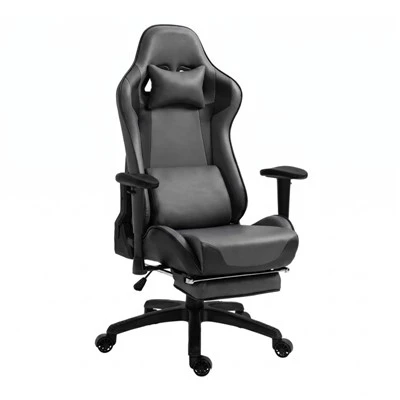
Leathe Gaming Chair 参考文献:
- Interactive Entertainment Business, Sony Group Corporation. "PlayStation 5 Technical Specifications."
- Consumer Technology Association. "Gaming Equipment Weight and Clearance Guidelines for Home Use."
- International Electrotechnical Commission. "Thermal Management Requirements for Consumer Gaming Consoles."
- PC Gamer. "Common PS5 Placement Mistakes That Cause Overheating."
- Tom’s Hardware. "Gaming Desk Structural Flex and Its Impact on Electronic Equipment Placement."
Huzhou Xiasen Import and Export Co., Ltd.
Address: Room 701-9, No.70, Wulipai Road, Wukang Subdistrict, Deqing County, Huzhou City, Zhejiang Province
E-mail: shinesunyoungcai@163.com
WebSite: https://www.shinesun-household.com/
